


Opened 5 days ago
Closed 4 days ago
#24821 closed defect (wontfix)
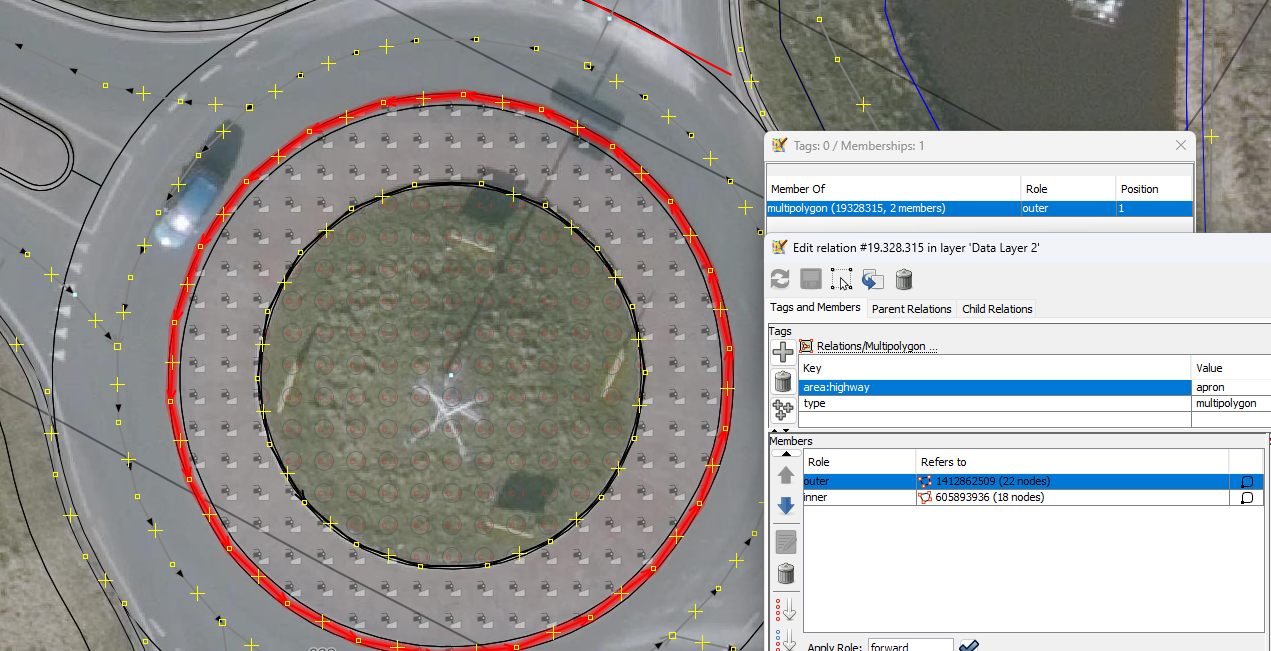
Styling outer line, multipolygon and polygon, polygon does not show image.
| Reported by: | Allroads | Owned by: | Allroads |
|---|---|---|---|
| Priority: | normal | Milestone: | |
| Component: | Core mappaint | Version: | latest |
| Keywords: | Cc: |
Description (last modified by )
In a area:highway=central_island the whole island include the area:highway=apron. The whole cental_island must get a image
The polygon does not show the styling image.
The apron does, they should be on top of each other because different layers. (later I make images then it shows them next to each other)
download area_highway.zip style
area|z19-[area:highway=central_island]::central_island_area_layer {
  z-index: 2;
  fill-opacity:0.5;
  fill-image: a.h.central_island.32.svg;
}

area|z19-[area:highway=apron]::apron_area_layer {
  z-index: 3;
  fill-opacity:0.4;
  fill-image: a.h.apron.svg;
}
De style have no settings.
What is wrong?
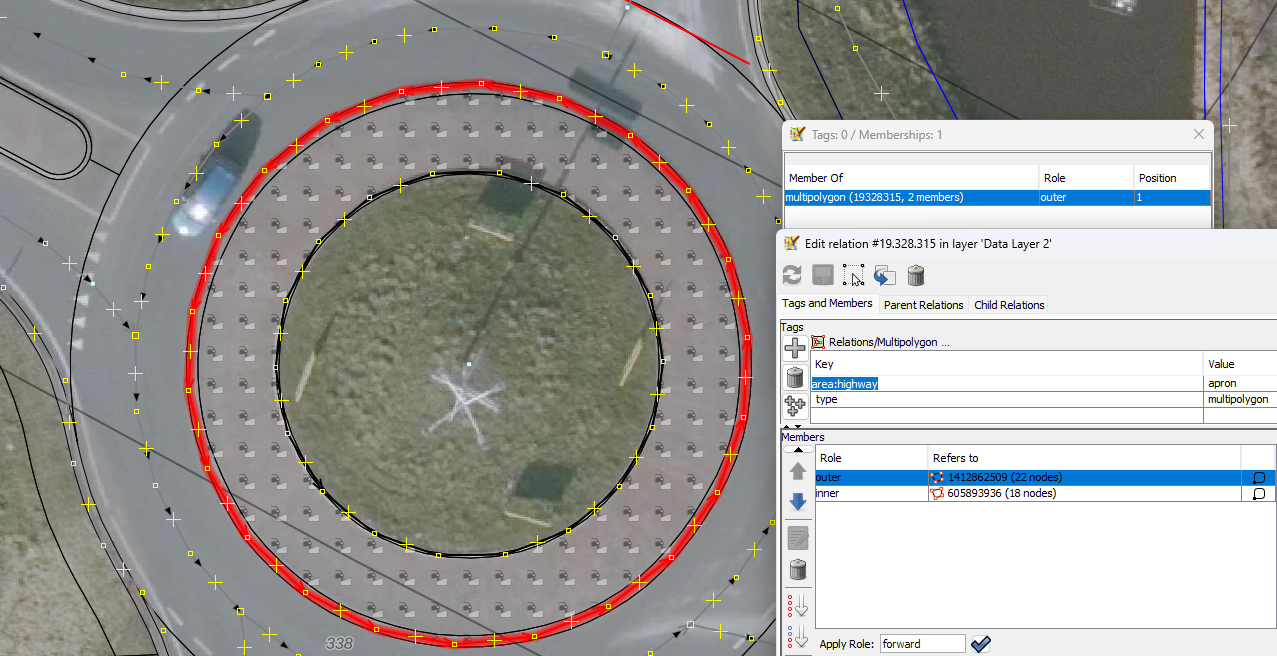
Apron multipolygon

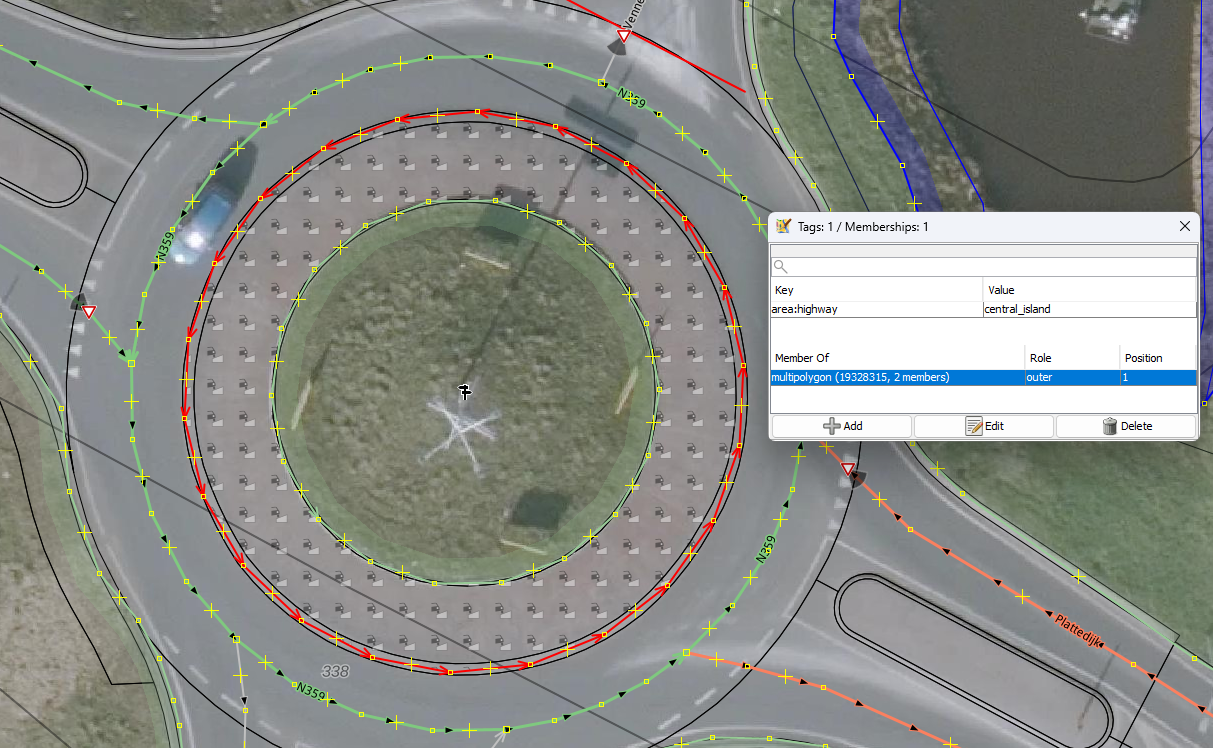
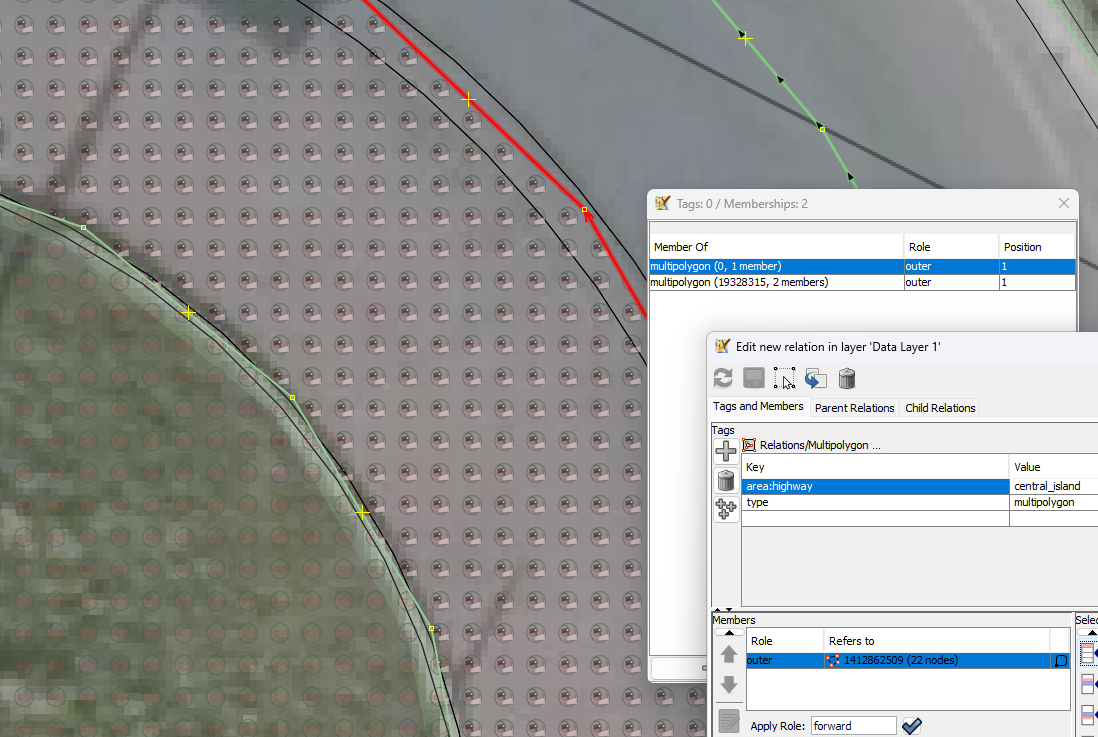
Now, I set on the outerline area:highway=central_island and expect the whole area gets the central_island images.
It is not shown that is the problem.

When is set it on the inner then there is not a problem, the central_island image is shown.

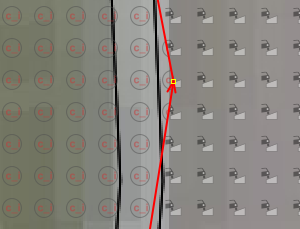
zoomed in

Deleted the multipolygon and the whole area gets the image of central_island

Attachments (7)
Change History (16)
by , 5 days ago
| Attachment: | island1.png added |
|---|
by , 5 days ago
| Attachment: | island2.png added |
|---|
by , 5 days ago
| Attachment: | island4.png added |
|---|
by , 5 days ago
| Attachment: | island3.png added |
|---|
comment:1 by , 5 days ago
| Description: | modified (diff) |
|---|
by , 5 days ago
| Attachment: | island5.png added |
|---|
comment:2 by , 5 days ago
| Description: | modified (diff) |
|---|
by , 5 days ago
| Attachment: | island6.png added |
|---|
comment:4 by , 5 days ago
| Description: | modified (diff) |
|---|
comment:5 by , 5 days ago
comment:6 by , 5 days ago
| Owner: | changed from to |
|---|---|
| Status: | new → needinfo |
comment:7 by , 5 days ago
Yes, you could say that.
This outerway is a closed way, when this outerway is part of a multipolygon, if so, this outerway used as polygon is not styled. When I delete the multipolygon, this way (formaly outerway) as polygon is styled.
It’s a shame you can’t use the same line. I was styling polygons with images.
To create a good visual comparison for JOSM.
I expect I’ll come across this more often when people use ‘outer way’ as a polygon or multipolygon.
You can’t rely on seeing everything.
When an ‘inner way’ is used, it’s not a problem – that’s a bit strange.
It is, what it is.
comment:8 by , 4 days ago
To explain the why.
- In you have a closed way with a style, then the inner side of the way should be styled accordingly.
- If you have a style on a multipolygon, then the inner of the polygon (except holes) is styled.
- Now in the past the outer was used as reference instead of the multipolygon, which means adding a way to a multipolygon as outer caused a switch of the drawn area from "inside way" to "inside multipolygon except holes". That's strange from a software point of view.
- Because of this and because styling outer ways of multipolygons individually makes not much sense (they are always overlayed by the polygon), as far as I remember, JOSM doesn't apply any style in that case.
by , 4 days ago
| Attachment: | island7.png added |
|---|
comment:9 by , 4 days ago
Thanks for all your effort for JOSM!
Choices must be made.
I was just curious, this is more tagging for the render, for the stylist.
Use two mulitipolygon.
One with only a outer, the other apron also a inner.
Then they get overlapped icons.
Someone used a lot of relations with only a outer. I think not as a render style choice. (Because, there was not a style to see it.)
I try to make some visible, for visualisation control purpose. That's why I work with icons.

comment:10 by , 4 days ago
| Resolution: | → wontfix |
|---|---|
| Status: | needinfo → closed |




Do I understand this correctly?
When you put styling tags on the outer way of an multipolygon it is not used as style, but when it's on a closed way it is?
In that case that's by design. Styling of multipolygons must go to the multipolygon itself. As far as I remember we dropped all former workarounds and enforce that rule. Others, like MapCSS, may not be as strict to support legacy, but we wanted to get rid of the old style tagging, as it has too many issues.