


| Version 5 (modified by , 6 days ago) ( diff ) |
|---|
Languages:
Table of Content
Plugin -> Rovas Connector
Introduction
This plugin makes it possible for volunteer JOSM users to track their editing time and have a work report created in Rovas (the platform that implements the NEO economic system) when uploading edits to the OSM database.
Benefits
direct
- track time spent editing in JOSM,
- make a permanent record of the editing time for each changeset, in the form of an automatically created Rovas work report,
- Rovas issues a reward for verified time reported in the work reports created by this plugin — either Chrons (10 Chron = 1 hour) — which can be exchanged for certain benefits in Rovas — or the same amount of Merits — a measure of economic value you donated to the commons. All work reports are verified by other Rovas users, or auto-approved once user reaches the Trusted user status.
indirect
- One of the NEO rules is that the time reported in each work report must be verified. To do so, Rovas selects two verifiers and sends them verification requests that include links to a Web page (such as osmcha.org), showing the changes made in the changeset. This allows each changeset to be seen by at least two users, increasing the likelihood of detecting any mapping errors. This should lead to improvement of the data quality in the OSM database.
- having a reliable and verified record of time spent by OSM mappers can inform funding discussions across the OSM ecosystem. For example, the total labor time, tallied from the individual work reports as shown on the OpenStreetMap project page in Rovas, can give potential sponsors verified data about mapping effort by volunteer mappers. That record can also help make the case for commercial consumers of OSM data to support the community (for example server infrastructure or mapping efforts). It does not by itself promise or guarantee any payout.
Installation and configuration
- To use the plugin, you must have an account in Rovas. Conveniently, Rovas provides an option to register with one of several OpenID identity providers, including OpenStreetMap.
- Next, in the Plugins screen of the JOSM preferences, select the Rovas Connector plugin and activate it.
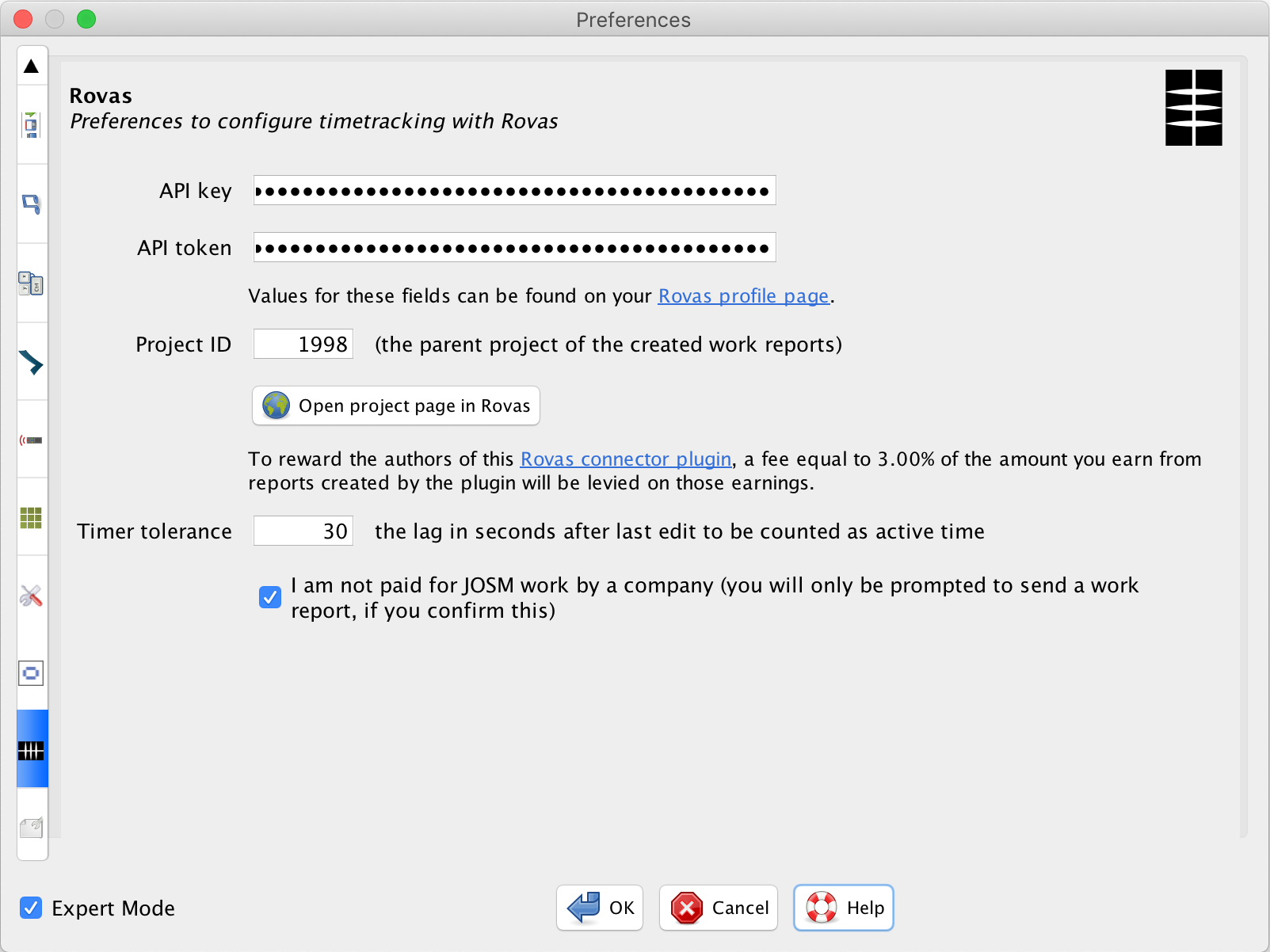
- From the Rovas API pane of your profile, copy the API key and API token into the similarly named fields in the Rovas Connector plugin configuration page. Click a checkbox to confirm that you are not paid by a firm for your JOSM work. The Timer tolerance setting in the plugin preferences determines the length of idle time between user actions that is counted as active. The Project ID field will typically be left with the default value.
Using the plugin
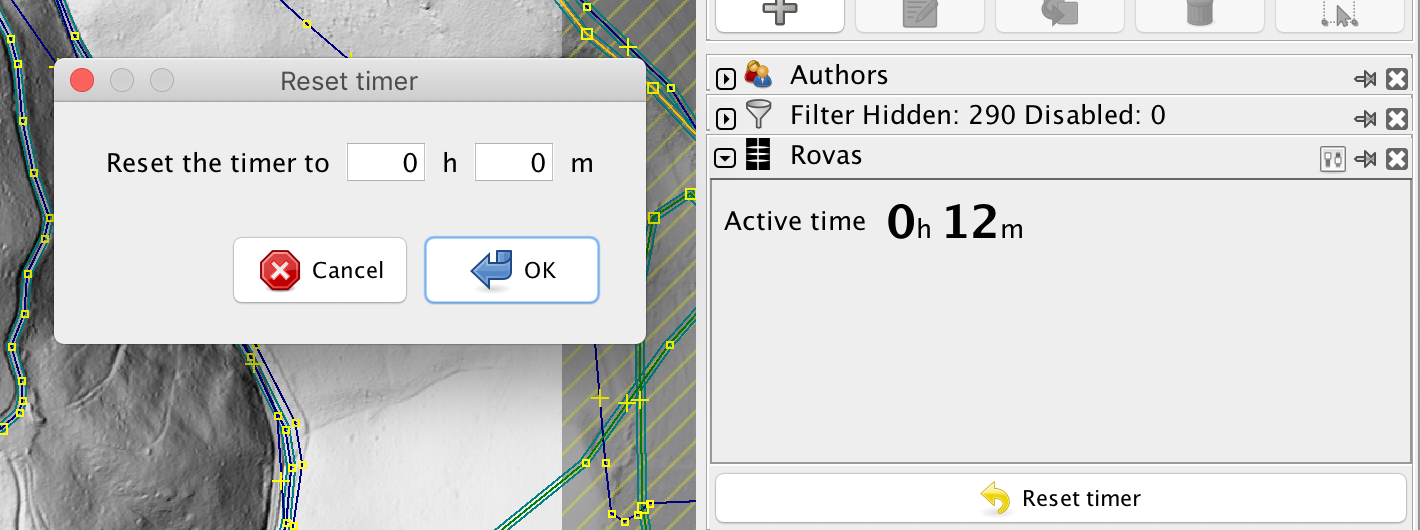
The plugin timer is initiated at the moment JOSM is started. The counter (elapsed time) is updated every time a layer is added, or a change is made (a node is moved, added or deleted...). The plugin-provided info block shows the elapsed time. The value can be reset to 0, or an arbitrary time by clicking the Reset timer button.
After edits are uploaded to OSM and the preferences for the plugin are complete, a dialog box is shown, allowing the user to create a report in Rovas:
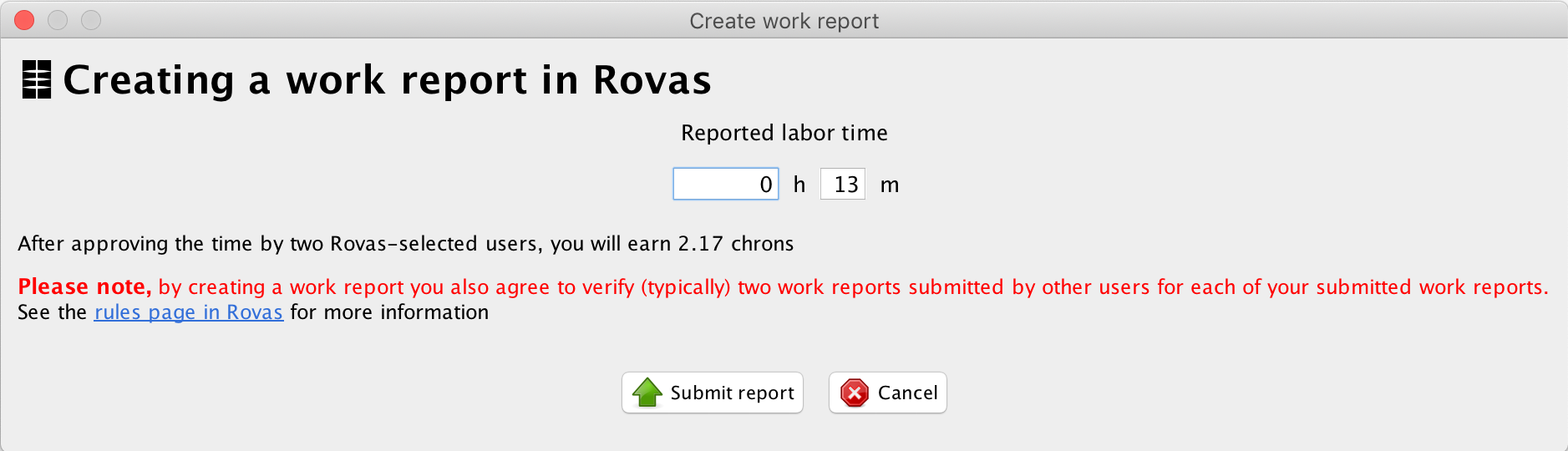
The Rovas rules page describes in detail what happens when a work report is created.
Developer contact
Please report issues and suggestions in the project issue tracker
Attachments (3)
- josm_rc_timer.png (339.6 KB ) - added by 5 years ago.
- josm_rc_prefs.png (564.4 KB ) - added by 6 days ago.
- josm_rc_save.png (334.3 KB ) - added by 6 days ago.
Download all attachments as: .zip